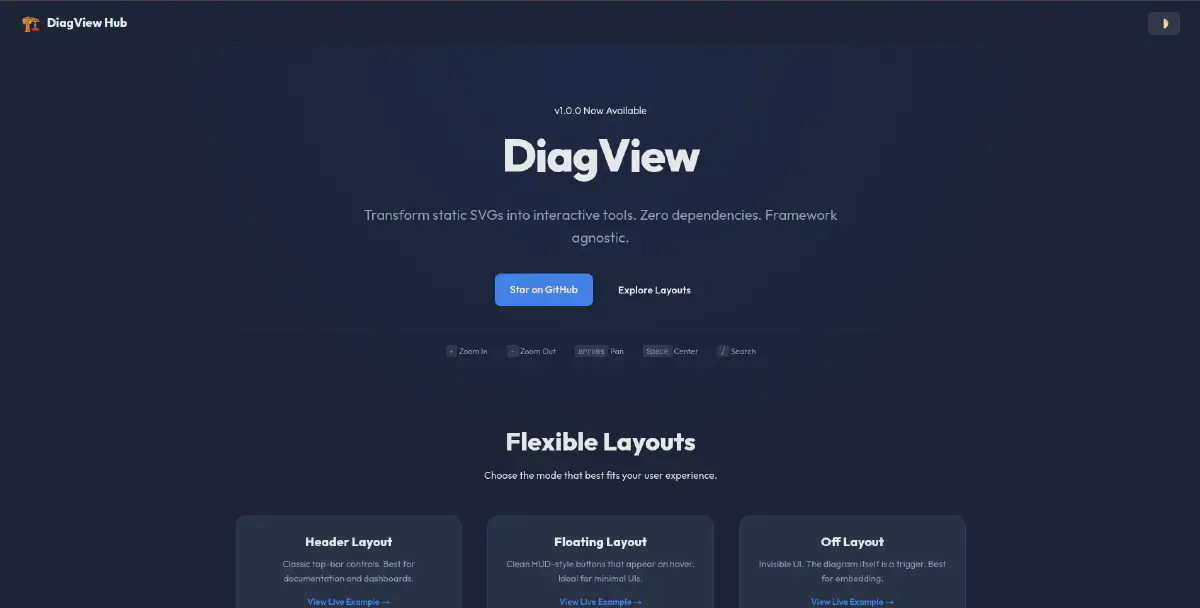

As developers, we love clear documentation. Use Case diagrams, Cloud Architectures, Flowcharts — they are the lifeblood of understanding complex systems. Tools like Mermaid.js, PlantUML, and Draw.io are fantastic for creating them.
But viewing them? That experience is often stuck in the past.
If you export a complex architecture diagram as an SVG and embed it on your docs site, it’s just a static image. The text is too small to read, you can’t search for that one specific microservice, and if you zoom with your browser, the whole page breaks.
I looked for a library to solve this. I found D3.js (too complex for just viewing) and Leaflet (too heavy for a diagram). I didn’t want to write hundreds of lines of code just to let a user zoom into a flowchart.
So, I built DiagView.
Demo#
What is DiagView?#
DiagView is a feature-rich, interactive wrapper that gives your static SVGs superpowers.
It is built on top of the excellent panzoom library, which handles the low-level matrix math for smooth 60fps zooming and panning. But while panzoom gives you the engine, DiagView gives you the entire car.
Feature Overview#
| Feature | Description |
|---|---|
| 🔍 Deep Search | Traverses the SVG DOM to find and highlight matching nodes |
| 📤 Multi-Format Export | PNG, SVG, PDF, WebP, or copy to clipboard |
| 🎯 Meeting Mode | Built-in laser pointer for remote presentations |
| 🔗 Share Links | Generate URLs that preserve zoom/pan state |
| ⌨️ Keyboard Navigation | Arrows to pan, +/- to zoom, F to search |
| 🌗 Auto-Theming | Detects light/dark mode automatically |
| 📱 Mobile-First Touch | Pinch-to-zoom, double-tap to reset |
The Landscape: Why Wasn’t This Already Solved?#
Before writing any code, I scoured npm and GitHub. Here’s what I found:
D3.js — The titan of data visualization. But D3 is for creating graphics from data, not for viewing pre-made SVGs.
svg-pan-zoom — A focused library for adding pan/zoom to SVGs. But it’s just the engine — no UI, no search, no export.
Leaflet.js — The standard for interactive maps. Overkill for a simple flowchart.
The gap was clear: I needed a batteries-included solution — something that would just work with a single init() call.
Quick Start#
CDN (Fastest)#
<!-- Panzoom (optional, for zoom/pan) -->
<script src="https://cdn.jsdelivr.net/npm/@panzoom/panzoom@4.5.1/dist/panzoom.min.js"></script>

<!-- DiagView -->
<script src="https://cdn.jsdelivr.net/npm/diagview@1.0.0/dist/diagview.umd.min.js"></script>

<!-- Your diagram -->
<div class="diagram">
  <svg><!-- Your SVG content --></svg>
</div>

<!-- Initialize -->
<script>
  DiagView.init();
</script>NPM#
npm install diagview @panzoom/panzoomimport DiagView from 'diagview';
DiagView.init({
layout: 'floating',
accentColor: '#3b82f6',
});Flexible Layouts#
DiagView supports three layout modes to fit your design:
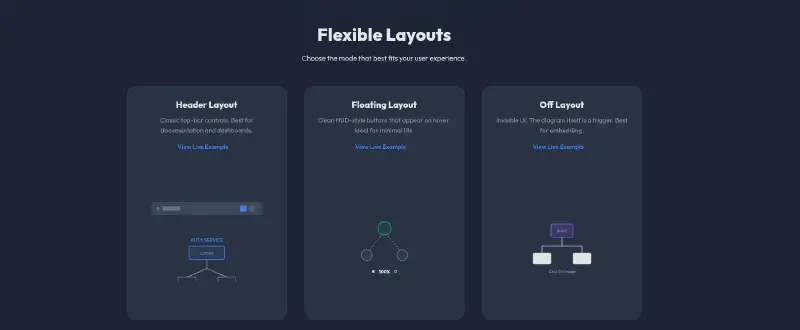
| Layout | Best For |
|---|---|
| Header | Classic top-bar controls, documentation sites |
| Floating | Clean HUD-style buttons on hover, minimal UIs |
| Off | Invisible UI, the diagram itself is the trigger |
Under the Hood: Technical Decisions#
The Search Engine#
This was the feature I was most proud of. The search system:
- Pre-Caches Candidates — On first open, queries all text elements and stores them in a WeakMap
- Uses Dirty Checking — Before writing to the DOM, checks if values have changed
- Batches Updates — All DOM mutations are wrapped in requestAnimationFrame
The result? Searching through diagrams with 2,500+ nodes is instant.
The Export System#
The export module handles edge cases:
- Robust Dimension Calculation — Uses getBBox() to find actual content area
- Cross-Origin Font Handling — Inlines Google Fonts for consistent exports
- High-DPI Scaling — Up to 6x resolution for print-quality images
Optional Panzoom Dependency#
I made panzoom an optional peer dependency:
- With panzoom: Full zoom, pan, touch gestures
- Without panzoom: Fullscreen, search, and export still work
This keeps DiagView usable even in constrained environments.
Bundle Size#
| Metric | Size |
|---|---|
| Raw Minified | ~70 KB |
| Gzipped (Transfer) | ~19 KB |
For context, that’s smaller than a single hero image. And it includes all CSS, SVG icons, and the entire UI framework.
Try It Out#
I built this to scratch my own itch. If you write technical documentation for a living, I think you’ll find it useful too.
- 🧪 Live Demo: khadirullah.github.io/diagview
- ⭐ GitHub: github.com/khadirullah/diagview
- 📦 NPM: npmjs.com/package/diagview
Have feedback or found a bug? Open an issue on GitHub.